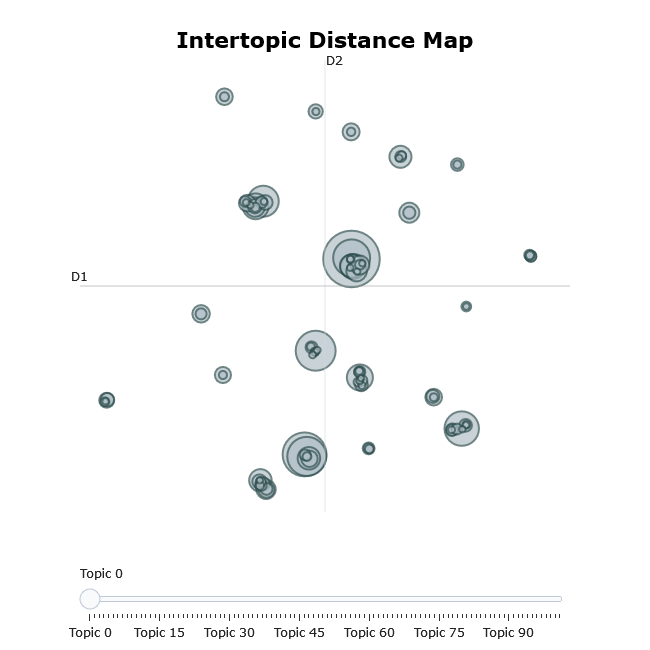
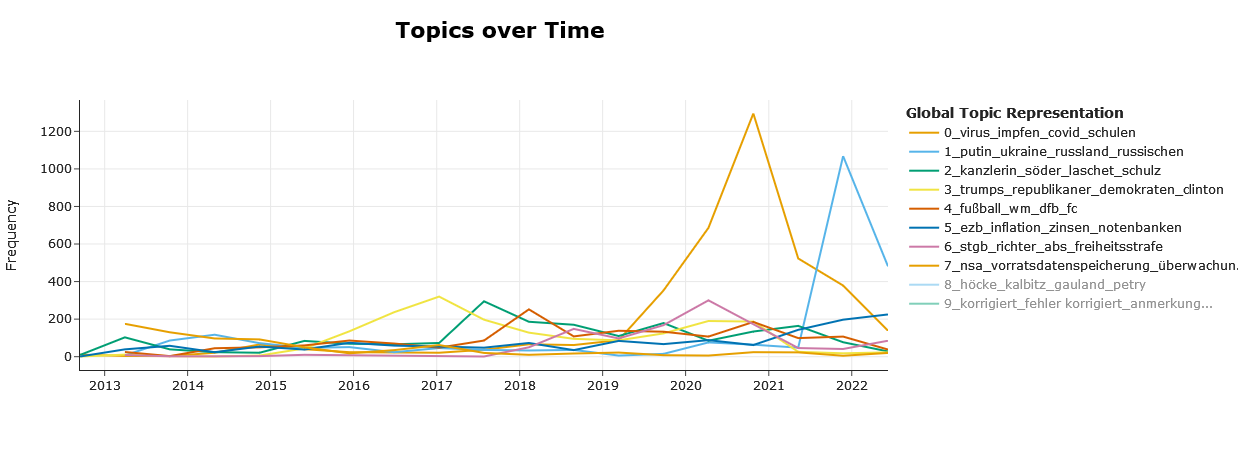
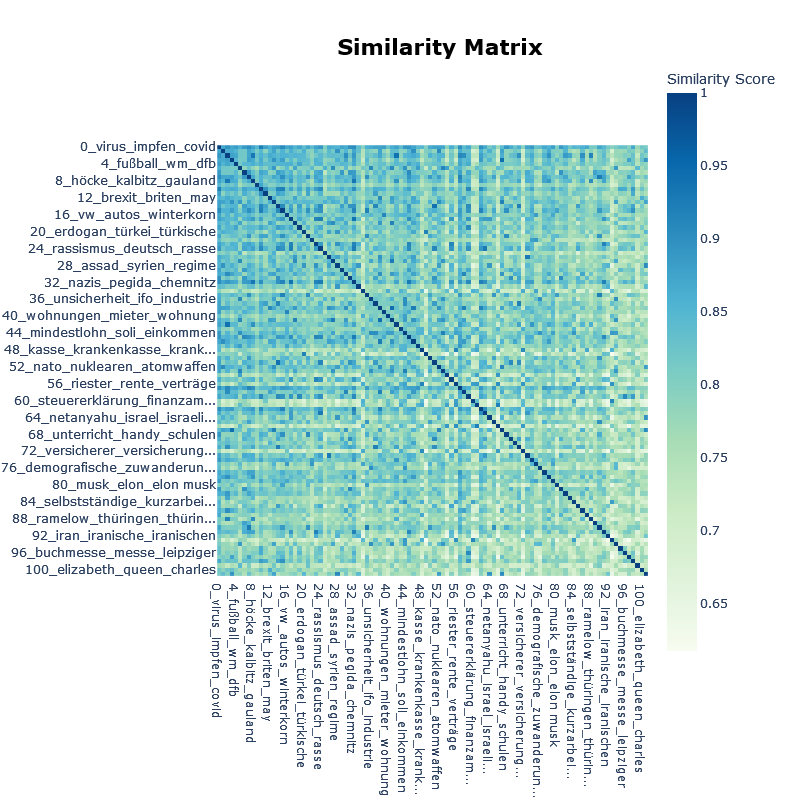
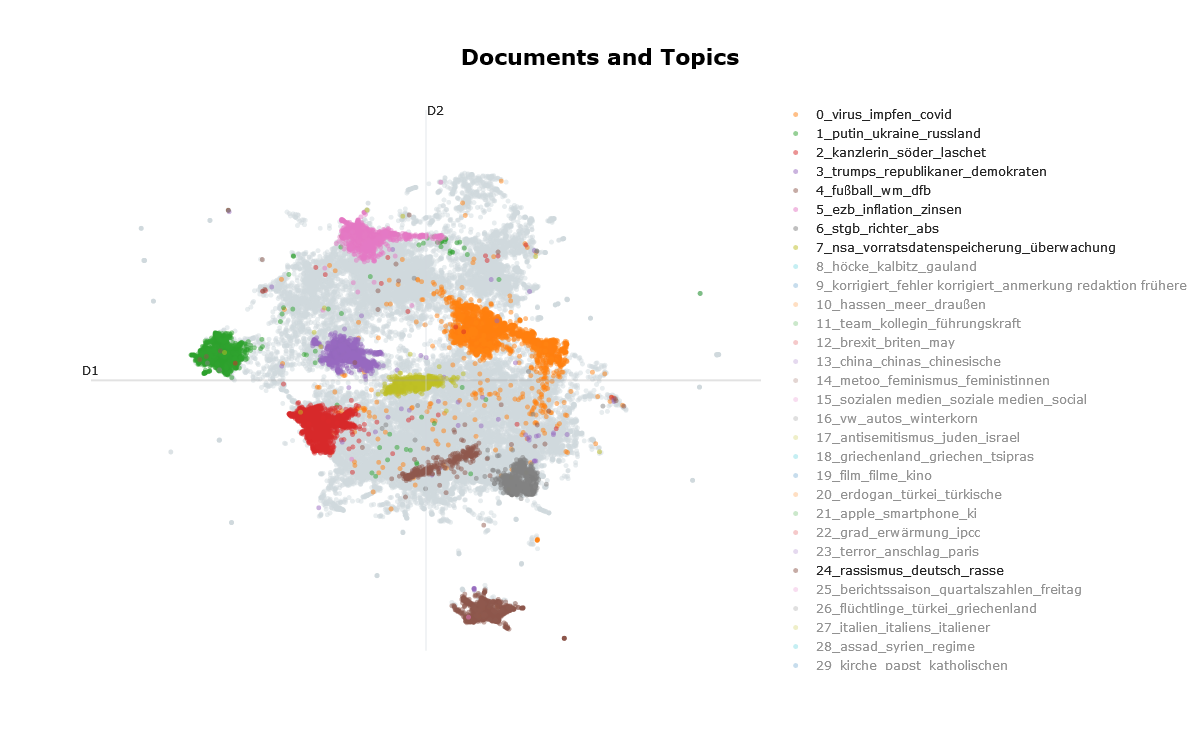
Topic modeling in R via reticulate + the Python BERTopic ecosystem (version 0.17.x). Provides helpers for training, persistence, topic inspection, and visualization; see the Quarto notebook and the vignettes for an end-to-end workflow.
Installation (R package)
install.packages("devtools")
devtools::install_github("tpetric7/bertopicr")
Python environment setup (pick one)
A. Install inside R via reticulate
Requires Python installed and discoverable by the R package reticulate. Install Python from python.org and restart R on Windows.
Installation with the setup_python_environment() function:
library(bertopicr)
library(reticulate)

setup_python_environment(
  envname = "r-bertopic",
  method = "virtualenv" # or "conda"
)

# Point reticulate at the environment you just created
use_virtualenv("r-bertopic", required = TRUE)
# or use_condaenv("r-bertopic", required = TRUE)
py_config()  # confirm reticulate sees the chosen env
Alternatively, setup with the following lines of code:
library(reticulate)
# Choose ONE of these depending on what you created
target_env <- "r-bertopic"
use_virtualenv(target_env, required = TRUE)      # for virtualenv
# use_condaenv(target_env, required = TRUE)      # for conda

req <- system.file("requirements.txt", package = "bertopicr")
# If req is "", reinstall/upgrade the package so the file is available.
py_install(packages = c("-r", req), envname = target_env, method = "auto", pip = TRUE)
py_config()  # confirm reticulate sees the chosen env
B. Virtualenv (base Python)
python -m venv r-bertopic

# Windows
r-bertopic\Scripts\activate

# macOS/Linux
source r-bertopic/bin/activate

pip install --upgrade pip
pip install -r inst/requirements.txt
C. Conda
conda create -n r-bertopic python=3.10
conda activate r-bertopic
pip install -r inst/requirements.txt
(Requirements are bundled at inst/requirements.txt. If you have a GPU, install a matching CUDA build of PyTorch in the same env, e.g. pip install torch torchvision torchaudio --index-url https://download.pytorch.org/whl/cu118.)
macOS notes
If reticulate fails to load Python libraries on macOS, install Homebrew zlib and set the fallback library path once per session:
bertopicr::configure_macos_homebrew_zlib()You can install zlib with Homebrew:
Quick Start (fit + visualize)
The package includes helpers for setup, training, and persistence. You can still use your own BERTopic training code, then pass the Python model and outputs into the R helpers.
library(reticulate)
library(bertopicr)

# Point reticulate to the env you prepared
use_virtualenv("r-bertopic", required = TRUE)
# use_condaenv("r-bertopic", required = TRUE)

# Example: train in R (use a real sample to avoid tiny-N failures)
sample_path <- system.file("extdata", "spiegel_sample.rds", package = "bertopicr")
df <- readr::read_rds(sample_path)
texts <- df$text_clean[seq_len(500)]
topic_model <- train_bertopic_model(
  texts,
  embedding_model = "Qwen/Qwen3-Embedding-0.6B",
  top_n_words = 3L
)
# Note: tiny datasets can trigger UMAP spectral warnings/errors; using a
# realistic sample size and a smaller top_n_words avoids that.
save_bertopic_model(topic_model, "topic_model")

loaded <- load_bertopic_model("topic_model")
model <- loaded$model
probs <- loaded$extras$probabilities

# Use the R helpers
visualize_topics(model, filename = "intertopic_distance_map", auto_open = FALSE)
visualize_distribution(model, text_id = 1, probabilities = probs, auto_open = FALSE)
Advanced example
See the vignettes (including train_and_save_model.Rmd and load_and_reuse_model.Rmd) or the Quarto tutorial for a complete workflow (training, representation models [keyBERT, ollama models, …], dimensionality reduction, clustering, and visualizations).
Scripts
The demo script is available at inst/scripts/train_model_function_demo.R and shows end-to-end training, saving, loading, and reuse.